












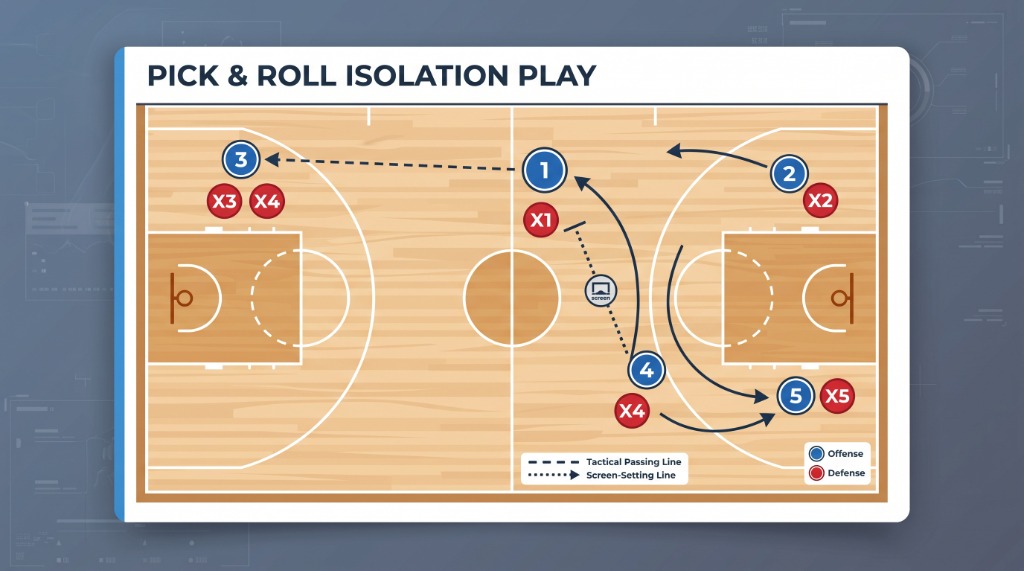
Basketball tactics board
On the FIBA 28×15 court, draw a half-court set, a pick and roll and a full-court transition.
Open the basketball tactics board
 Free coach playbook
A free tactics board for basketball, football and volleyball. Draw the set, the formation or the rotation, then keep it in your playbook.
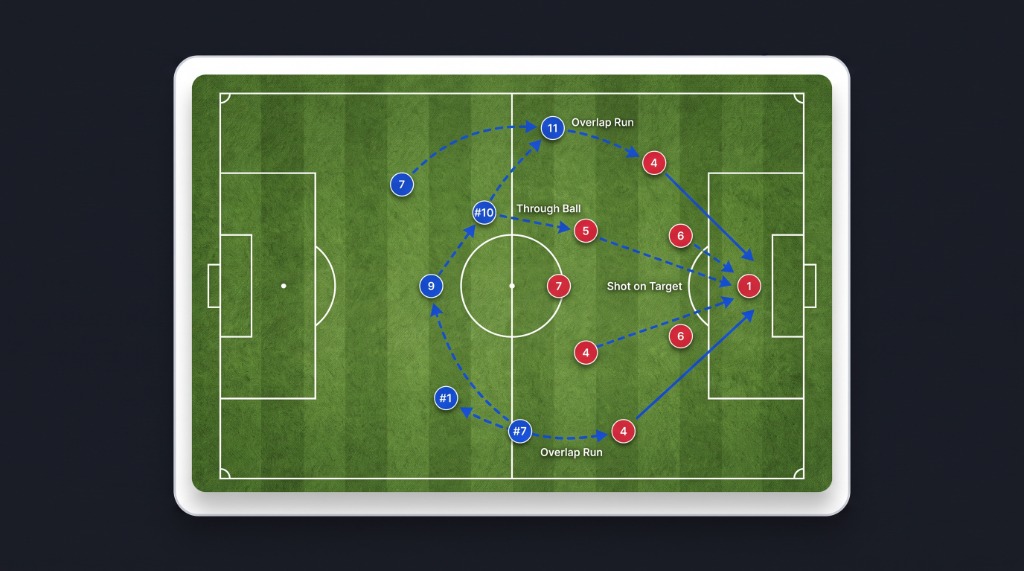
 Football formations
Draw the shape, the overlap and the set piece on a full pitch. A 4-3-3 and a corner routine live on the same football tactics board.
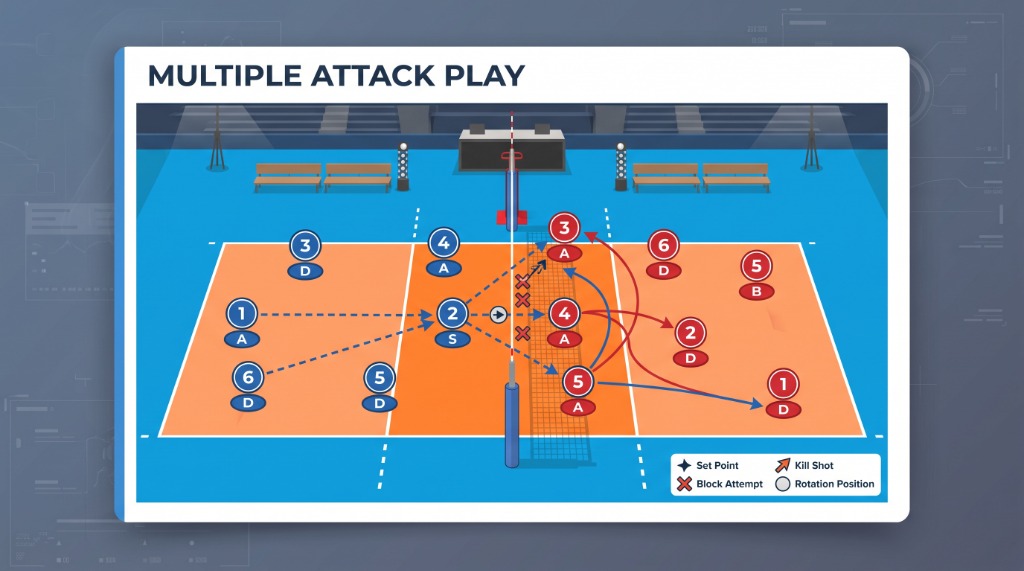
 Volleyball rotation
Set the 1–6 rotation, setter distribution and 5-1 attack on the same volleyball tactics board.
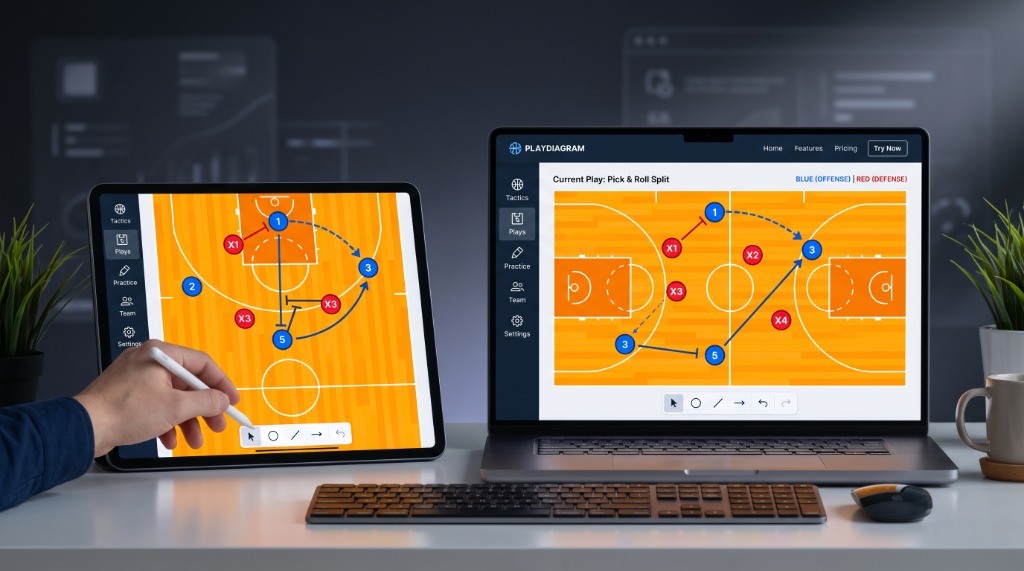
PlayDiagram is a free digital tactics board for basketball, football and volleyball coaches. You place the shape on official court lines and save the drawing in a cloud playbook.
Place your lineup on a federation-standard court in seconds. Plan offensive sets, defensive schemes, screening rotations and set pieces with clean vector lines.
Everything syncs across tablet, phone and computer. Draw a tactic on your laptop before practice and walk your players through it from a tablet on game day.
Three courts, one board
PlayDiagram is a free online sports tactics board for basketball, football and volleyball coaches. Create, organize and save tactical diagrams in the browser.
An online tactics board replaces the paper clipboard: the drawing stays in your account, opens on a tablet and can be edited later.
On the FIBA 28×15 court, draw a half-court set, a pick and roll and a full-court transition.
Open the basketball tactics boardOn the 105×68 pitch, draw a 4-3-3 or 4-2-3-1, plus corner and free-kick routines.
Open the football tactics boardOn the 18×9 indoor court, plan the 1–6 rotation, a 5-1 attack and serve receive.
Open the volleyball tactics boardFederation standards
Official court dimensions and sport-specific action rules are ready for every sport.
Full-court and half-court views. Half-court sets, pick-and-roll actions, zone defense and after-timeout plays.
Full pitch, half pitch and attacking-third views. 4-3-3 and 3-5-2 shapes, corner routines and counter-attacks.
Official FIVB indoor dimensions, the attack line and rotation zones 1–6. Serve receive, block combinations and setter distribution.
Simple and fast
No design software and no paper clipboard.
Open a basketball, football or volleyball court in one click. The official lines are already there.
Drag players, draw passes and runs, and mark screens. Color-coded lines show how the play flows.
Name the set, add coach notes, and it is stored in the cloud. Copy, edit and reuse it whenever you need.
A few of the play patterns coaches draw in PlayDiagram:
The 4 and 5 set a double screen at the elbows and the 1 attacks the weak side.
Five players space the perimeter, looking for backdoor cuts and open shooters.
The front three lock onto the centre-backs and midfield squeezes the gaps for the second ball.
Opposite and outside hitters attack according to whether the setter is in the front or back row.
Players, passes, runs, screens and formations on one free board.
Put your players and the defence on the court.
Show the run, the pass and the dribble with an arrow.
Finish the set with a screen, a shot or a free draw.
Undo a wrong step and try it again on the same board.
Name the set and add a category, a description and a coach note.
Search the playbook by sport and category.
Duplicate a tactic and keep the variation as its own play.
The drawing is saved, so closing the board does not wipe the work.
Create an account and start your digital playbook. Every feature is free.
Good to know
A free coaching tool that opens a basketball, football or volleyball court in the browser so you can draw players, passes, runs and screens on it. The tactic is a playbook record you can reopen and edit, not a flat image.
On the basketball tactics board, choose full court or half court, place the players, then draw the screen and pick-and-roll arrows. Name the set, add a note and save it to your playbook.
Yes. On the football tactics board you can draw a shape such as 4-3-3, plus corner and free-kick routines, on the full pitch, the half pitch or the attacking third.
The volleyball tactics board shows zones 1–6. In a 5-1 you mark where the setter stands and who covers serve receive and attack on that same court.
For practice and game day, yes. The drawing stays in the cloud, opens on a tablet, and can be copied and edited. You do not redraw it from scratch each time.
No. PlayDiagram is free.
No. Each account can only view, edit and delete its own tactics.
It runs in the browser. The drawing screen is built for desktop and tablet, and it also opens on a phone.